How to Find Your Facility Code for Proximity Card Orders
Your proximity card order cannot be completed without a facility code — it is the site-level identifier that tells the access panel which cards belong to your building. Finding it takes less than five minutes once you know where to look. This guide walks through every reliable method, from reading the card label to pulling the value directly from your access control software, so you can place a correct order for compatible replacement cards from American Key Cards.
What a Facility Code Actually Is
A facility code (sometimes called a site code) is a number that all access cards at a given location share. In the most common format — standard 26-bit Wiegand (H10301) — it is an 8-bit number with values from 0 to 255. Every card at your site is programmed with the same facility code, paired with a unique individual card number.
When a card is presented to a reader, the access control panel receives both values over the Wiegand data wire. It grants access only if the facility code matches the site’s configured value and the card number appears in the authorized list. This two-part check is what prevents cards from one building from accidentally working in another building that happens to use the same individual card numbers.
The facility code is set when cards are first ordered — typically by the security integrator who installed your system. It is programmed into every card at the factory or during fulfillment, and it cannot be changed after the card is manufactured.
Method 1: Read the Card Label
This is the fastest method and works for most installations.
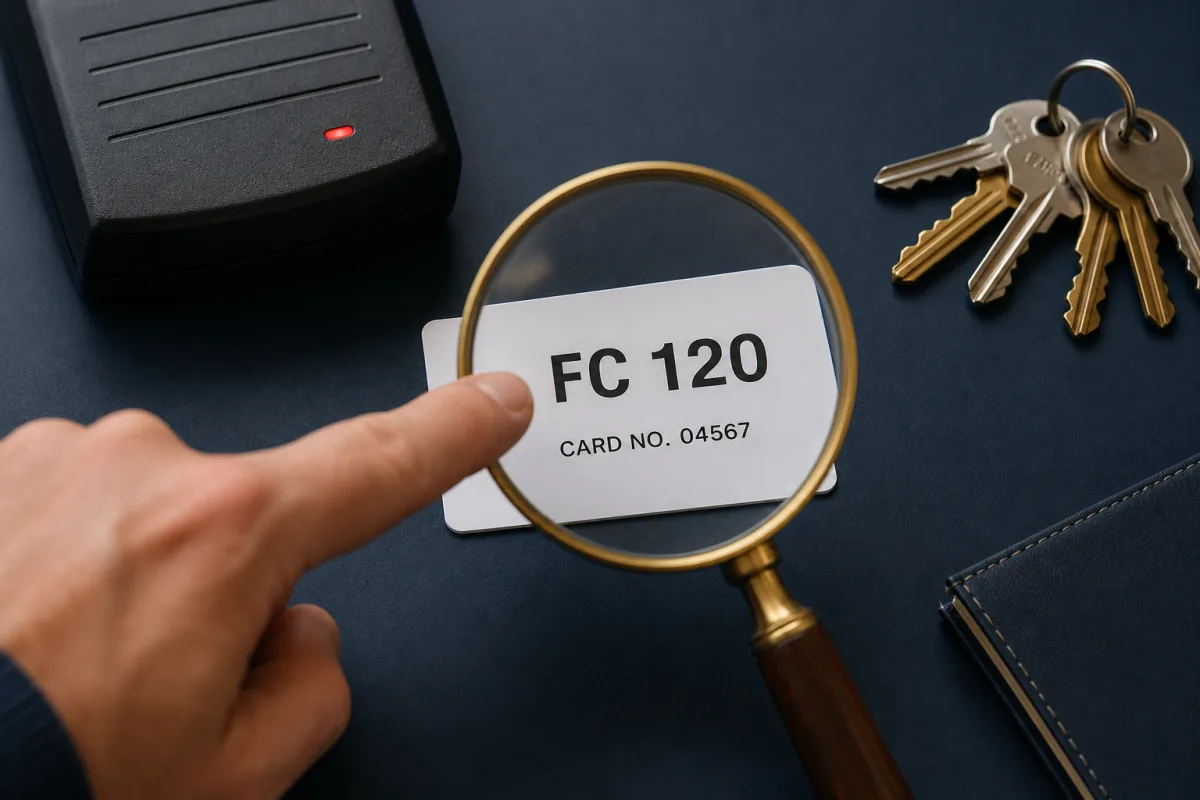
Turn your existing proximity card over and look at the face or back. Most cards printed for access control have the credential data printed in human-readable form. Common label formats you will find:
FC: 123 CN: 4567— Facility Code followed by Card Number123,4567— Facility code before the comma, card number after123/4567— Same data, slash-separated- A longer multi-digit string such as
0123004567— facility code is embedded within it (commonly the first three digits when zero-padded)
On most proximity cards, the facility code and card number are almost always printed on the card front in one of the formats above. The same is true for most compatible-by-specification aftermarket cards.
Key fobs are smaller and often have only the card number printed — but the facility code is the same as on all other cards at your site, so you can read it from any card in the batch.
If the numbers are worn off or the card was never labeled, move to Method 2.
Method 2: Check the Access Control Panel or Software
Every access control system stores the facility code as a configuration parameter. The exact location varies by platform, but the information is always there.
| Where to look | What you will find |
|---|---|
| Reader or panel configuration | The facility code listed as “Site Code” or “Facility Code” in the controller settings |
| Access-control management software | A system-wide facility/site code in the credential or site settings — on some platforms it is embedded in the card-number string on each cardholder record |
| Reader DIP-switch settings (older readers) | On some older readers the facility code is set by DIP switches — check your installer’s wiring diagram |
| Panel Wiegand format settings | The configured facility code listed alongside the Wiegand format for each reader |
| Resident / cardholder database export | The facility code is system-wide and visible in the access-level or credential configuration |
If you have access to the administration software, log in and navigate to the panel or reader configuration. Look for fields labeled “site code,” “facility code,” or “Wiegand facility.” The value there is what you need to order.
If you do not have software access — for example, you are a new property manager who inherited a system — contact the original installing contractor. System integrators are required to keep commissioning records, and the facility code is a standard part of that documentation.
Method 3: Retrieve from Installer Documentation
When an access control system is installed, the integrator produces a commissioning report that lists every reader model, the panel configuration, the Wiegand format, and the programmed facility code. This document should have been handed over to the building owner at project completion.
Check your physical or digital handover documents, security system binders, or email archives for the original installer. Phrases to search for include “site code,” “facility code,” “Wiegand format,” or the name of your access control system.
If documents are unavailable and you cannot reach the original installer, some access control software vendors can retrieve configuration details for registered accounts. Contact the platform vendor’s support line with your panel serial number.
Method 4: Read the Card Electronically
If your existing cards have no printed numbers and software access is unavailable, an RFID reader tool can extract the facility code directly from a working card.
The most capable tool for this purpose is the Proxmark3, an open-source RFID research device that can read and display the raw data on any 125 kHz proximity card. For simpler needs, several handheld card readers marketed as “card data readers” or “RFID data readers” display the facility code and card number on a small screen when a card is placed against them.
The process is straightforward:
- Place a working card flat against the reader or Proxmark3 antenna.
- The device reads and displays the facility code (labeled FC or Site Code) and the card number (labeled CN or Card Number).
- Record both values — you need the facility code for your order, and the card number range helps us determine how to sequence your new batch.
This method works for all unencrypted 125 kHz proximity formats, including the standard 26-bit (H10301) format and most proprietary 125 kHz variants.
It does not work for encrypted 13.56 MHz smart card formats — those require a cryptographic key to read the credential payload, and the facility code cannot be extracted with consumer-grade tools.
Format-Specific Considerations
Not every proximity format works identically. Before ordering, confirm which format your system uses — it changes what information you need to provide.
Standard 26-bit Wiegand (H10301): Facility code (0–255) and card number (0–65,535). The most common format in North America, used across a wide range of reader makes.
Proprietary 125 kHz formats: A few require a facility code plus an extra family code parameter. Both are typically printed on the card label and stored in the access-control software’s site settings. If your system uses one of these, confirm both values before contacting us.
37-bit Wiegand (H10302): No facility code at all — the entire credential is a single globally unique 35-bit card number. If your system uses H10302, you only need to specify the card number range.
Proprietary 33-bit formats: Some systems use a proprietary 33-bit format with a facility code field (0–127) alongside a larger card number field than standard 26-bit. Check your panel programming for the configured facility code.
34-bit formats: Some systems use a 34-bit format with an extended facility code field (0–65,535) — significantly larger than the 8-bit field in standard 26-bit. Retrieve it from your access-control software or panel configuration.
PSK-modulated 125 kHz formats: Facility code (1–255) and card number (1–65,535), the same numeric fields as 26-bit, but the card speaks PSK to the reader instead of Wiegand ASK/FSK. A 27-bit variant pushes the facility code range up to 8,191. These values print on the card label the same way.
If you are unsure which format your system uses, contact us before ordering. Providing the reader model number or a photo of the existing card label is usually enough for us to confirm the format and what data you need.
What to Have Ready When You Order
Once you have located your facility code, gather the following before placing your order:
- Facility code — the site-level value shared by all cards (and a family code if your format uses one)
- Card number range — the starting and ending card numbers for the new batch (for example, cards 201 through 250)
- Quantity — how many cards or fobs you need
- Format — the bit format your readers use (standard 26-bit, a proprietary 125 kHz variant, 33/34-bit, etc.)
- Form factor — ISO PVC card, clamshell card, or key fob
- Label preference — whether to print the facility code and card number on the credential face
American Key Cards programs each order to your exact facility code and card number range. Our cards are compatible by specification with the relevant format — not affiliated with or manufactured by the OEM — and work in the same readers as the original credentials.
Ready to Order?
If you have your facility code in hand, contact us with the details above and we will confirm format compatibility and provide a quote. If you are still working to locate your facility code, reach out anyway — we can help you identify the right method based on your reader make and system type, and we can confirm what information your specific format actually requires before you spend time tracking down numbers you may not need.
If you have not yet pinned down which format your readers use, start with our companion how-to on identifying your access card format, then browse our compatible 125 kHz proximity cards.
Frequently asked questions
What is a facility code on a proximity card?
A facility code (also called a site code) is a number shared by all credentials issued to a single location or organization. In the standard 26-bit Wiegand format, it is an 8-bit value from 0 to 255. When you present a card to a reader, the panel checks both the facility code and the individual card number — the facility code acts as a site-level identifier that prevents cards from one building from working in another building using the same card numbers.
Where is the facility code printed on a proximity card?
On most proximity cards, the facility code and card number are printed on the face of the card — typically in a format like FC: 123, CN: 4567, or as a combined number string such as 123,4567. The facility code usually appears before the comma or after the FC label. If the card has no printed numbers, the data must be retrieved from the access control panel or read electronically from the card using an RFID tool.
Can I find my facility code if my cards have no printed numbers?
Yes. Check the access control panel's software — the facility code is a system-wide parameter visible in the credential configuration or site settings. Your original installer's commissioning report will also list it. As a last resort, an RFID reader tool such as a Proxmark3 or a compatible handheld reader can read the facility code electronically from any existing working card.
Do I need a facility code for every type of proximity card?
Most 125 kHz proximity formats use a facility code, including the standard 26-bit format and most proprietary 125 kHz variants. Some formats work differently: the 37-bit H10302 format has no facility code field at all and uses a globally unique card number instead. A few proprietary 125 kHz formats add an extra family code on top of the facility code. When you contact us to order, we will confirm exactly what information your specific format requires.